Scaling robotics datasets with video encoding
Over the past few years, text and image-based models have seen dramatic performance improvements, primarily due to scaling up model weights and dataset sizes. While the internet provides an extensive database of text and images for LLMs and image generation models, robotics lacks such a vast and diverse qualitative data source and efficient data formats. Despite efforts like Open X, we are still far from achieving the scale and diversity seen with Large Language Models. Additionally, we lack the necessary tools for this endeavor, such as dataset formats that are lightweight, fast to load from, easy to share and visualize online. This gap is what 🤗 LeRobot aims to address.
What's a dataset in robotics?
In their general form — at least the one we are interested in within an end-to-end learning framework — robotics datasets typically come in two modalities: the visual modality and the robot's proprioception / goal positions modality (state/action vectors). Here's what this can look like in practice:
Until now, the best way to store visual modality was PNG for individual frames. This is very redundant as there's a lot of repetition among the frames. Practitioners did not use videos because the loading times could be orders of magnitude above. These datasets are usually released in various formats from academic papers (hdf5, zarr, pickle, tar, zip...). These days, modern video codecs can achieve impressive compression ratios — meaning the size of the encoded video compared to the original uncompressed frames — while still preserving excellent quality. This means that with a compression ratio of 1:20, or 5% for instance (which is easily achievable), you get from a 20GB dataset down to a single GB of data. Because of this, we decided to use video encoding to store the visual modalities of our datasets.
Contribution
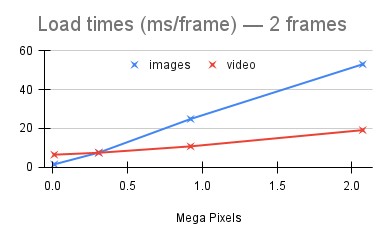
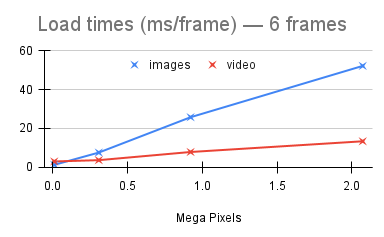
We propose a LeRobotDataset format that is simple, lightweight, easy to share (with native integration to the hub) and easy to visualize. Our datasets are on average 14% the size their original version (reaching up to 0.2% in the best case) while preserving full training capabilities on them by maintaining a very good level of quality. Additionally, we observed decoding times of video frames to follow this pattern, depending on resolution:
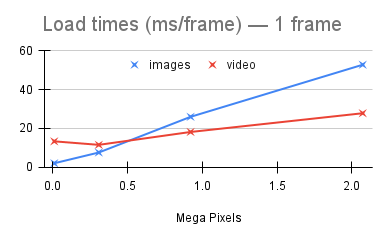
In the nominal case where we're decoding a single frame, our loading time is comparable to that of loading the frame from a compressed image (png).
In the advantageous case where we're decoding multiple successive frames, our loading time is 25%-50% that of loading those frames from compressed images.
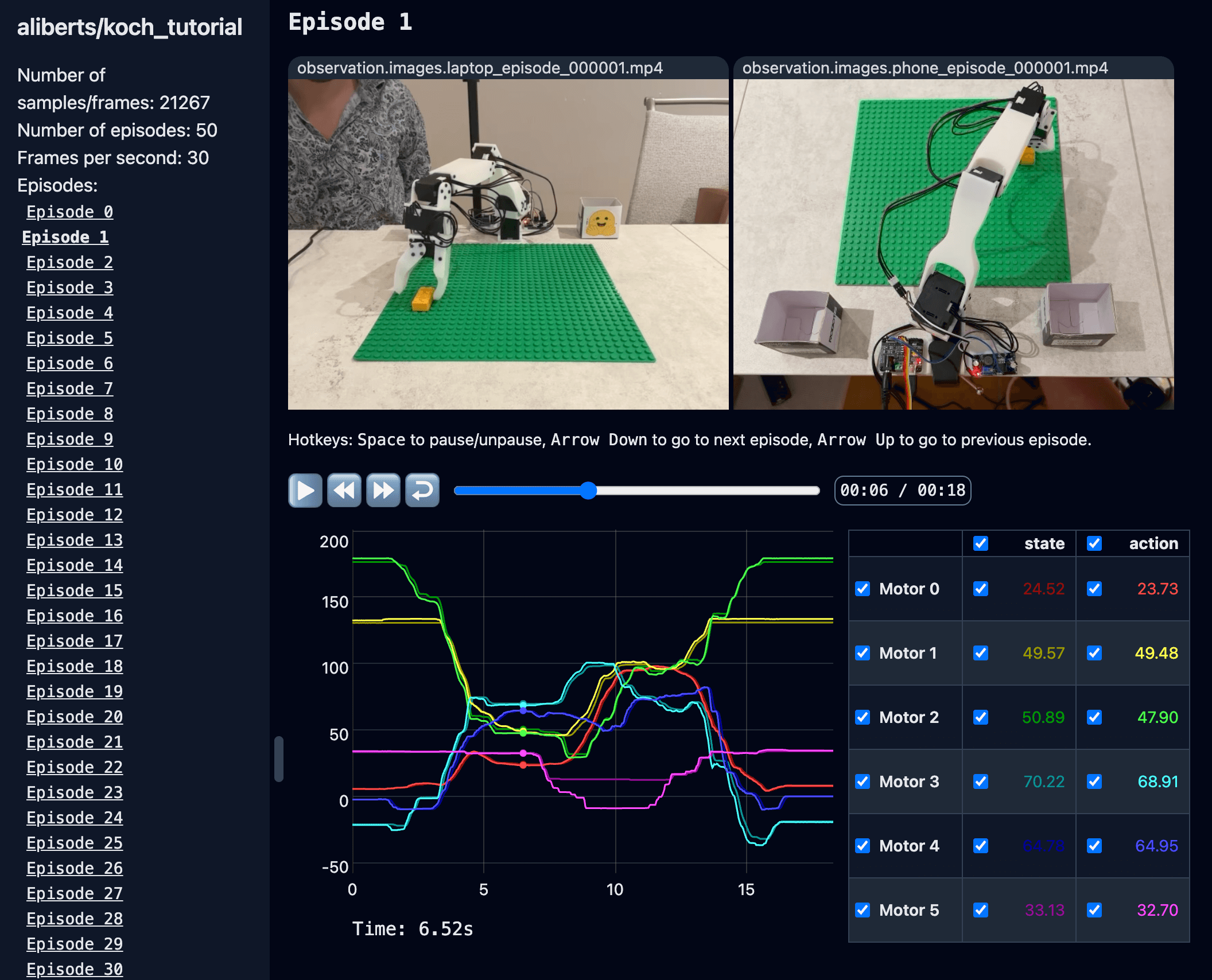
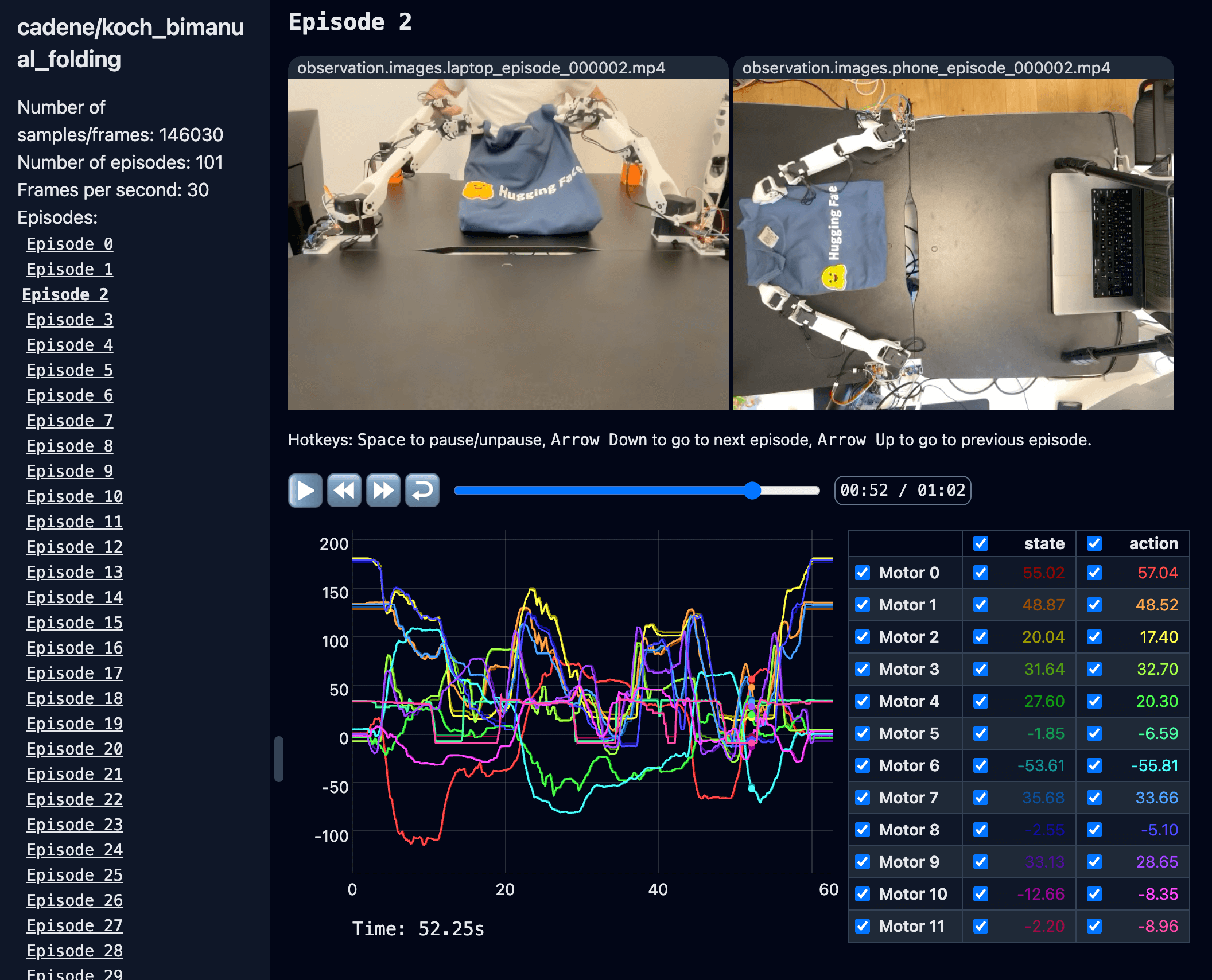
On top of this, we're building tools to easily understand and browse these datasets. You can explore a few examples yourself in the following Spaces using our visualization tool (click the images):
aliberts/koch_tutorial
cadene/koch_bimanual_folding
But what is a codec? And what is video encoding & decoding actually doing?
At its core, video encoding reduces the size of videos by using mainly 2 ideas:
Spatial Compression: This is the same principle used in a compressed image like JPEG or PNG. Spatial compression uses the self-similarities of an image to reduce its size. For instance, a single frame of a video showing a blue sky will have large areas of similar color. Spatial compression takes advantage of this to compress these areas without losing much in quality.
Temporal Compression: Rather than storing each frame as is, which takes up a lot of space, temporal compression calculates the differences between each frame and keeps only those differences (which are generally much smaller) in the encoded video stream. At decoding time, each frame is reconstructed by applying those differences back. Of course, this approach requires at least one frame of reference to start computing these differences with. In practice though, we use more than one placed at regular intervals. There are several reasons for this, which are detailed in this article. These "reference frames" are called keyframes or I-frames (for Intra-coded frames).
Thanks to these 2 ideas, video encoding is able to reduce the size of videos down to something manageable. Knowing this, the encoding process roughly looks like this:
Keyframes are determined based on user's specifications and scenes changes.
Those keyframes are compressed spatially.
The frames in-between are then compressed temporally as "differences" (also called P-frames or B-frames, more on these in the article linked above).
These differences themselves are then compressed spatially.
This compressed data from I-frames, P-frames and B-frames is encoded into a bitstream.
That video bitstream is then packaged into a container format (MP4, MKV, AVI...) along with potentially other bitstreams (audio, subtitles) and metadata.
At this point, additional processing may be applied to reduce any visual distortions caused by compression and to ensure the overall video quality meets desired standards.
Obviously, this is a high-level summary of what's happening and there are a lot of moving parts and configuration choices to make in this process. Logically, we wanted to evaluate the best way of doing it given our needs and constraints, so we built a benchmark to assess this according to a number of criteria.
Criteria
While size was the initial reason we decided to go with video encoding, we soon realized that there were other aspects to consider as well. Of course, decoding time is an important one for machine learning applications as we want to maximize the amount of time spent training rather than loading data. Quality needs to remains above a certain level as well so as to not degrade our policies' performances. Lastly, one less obvious but equally important aspect is the compatibility of our encoded videos in order to be easily decoded and played on the majority of media player, web browser, devices etc. Having the ability to easily and quickly visualize the content of any of our datasets was a must-have feature for us.
To summarize, these are the criteria we wanted to optimize:
Size: Impacts storage disk space and download times.
Decoding time: Impacts training time.
Quality: Impacts training accuracy.
Compatibility: Impacts the ability to easily decode the video and visualize it across devices and platforms.
Obviously, some of these criteria are in direct contradiction: you can hardly e.g. reduce the file size without degrading quality and vice versa. The goal was therefore to find the best compromise overall.
Note that because of our specific use case and our needs, some encoding settings traditionally used for media consumption don't really apply to us. A good example of that is with GOP (Group of Pictures) size. More on that in a bit.
Metrics
Given those criteria, we chose metrics accordingly.
Size compression ratio (lower is better): as mentioned, this is the size of the encoded video over the size of its set of original, unencoded frames.
Load times ratio (lower is better): this is the time it take to decode a given frame from a video over the time it takes to load that frame from an individual image.
For quality, we looked at 3 commonly used metrics:
Average Mean Square Error (lower is better): the average mean square error between each decoded frame and its corresponding original image over all requested timestamps, and also divided by the number of pixels in the image to be comparable across different image sizes.
Average Peak Signal to Noise Ratio (higher is better): measures the ratio between the maximum possible power of a signal and the power of corrupting noise that affects the fidelity of its representation. Higher PSNR indicates better quality.
Average Structural Similarity Index Measure (higher is better): evaluates the perceived quality of images by comparing luminance, contrast, and structure. SSIM values range from -1 to 1, where 1 indicates perfect similarity.
Additionally, we tried various levels of encoding quality to get a sense of what these metrics translate to visually. However, video encoding is designed to appeal to the human eye by taking advantage of several principles of how the human visual perception works, tricking our brains to maintain a level of perceived quality. This might have a different impact on a neural net. Therefore, besides these metrics and a visual check, it was important for us to also validate that the encoding did not degrade our policies performance by A/B testing it.
For compatibility, we don't have a metric per se, but it basically boils down to the video codec and the pixel format. For the video codec, the three that we chose (h264, h265 and AV1) are common and don't pose an issue. However, the pixel format is important as well and we found afterwards that on most browsers for instance, yuv444p is not supported and the video can't be decoded.
Variables
Image content & size
We don't expect the same optimal settings for a dataset of images from a simulation, or from the real world in an apartment, or in a factory, or outdoor, or with lots of moving objects in the scene, etc. Similarly, loading times might not vary linearly with the image size (resolution). For these reasons, we ran this benchmark on four representative datasets:
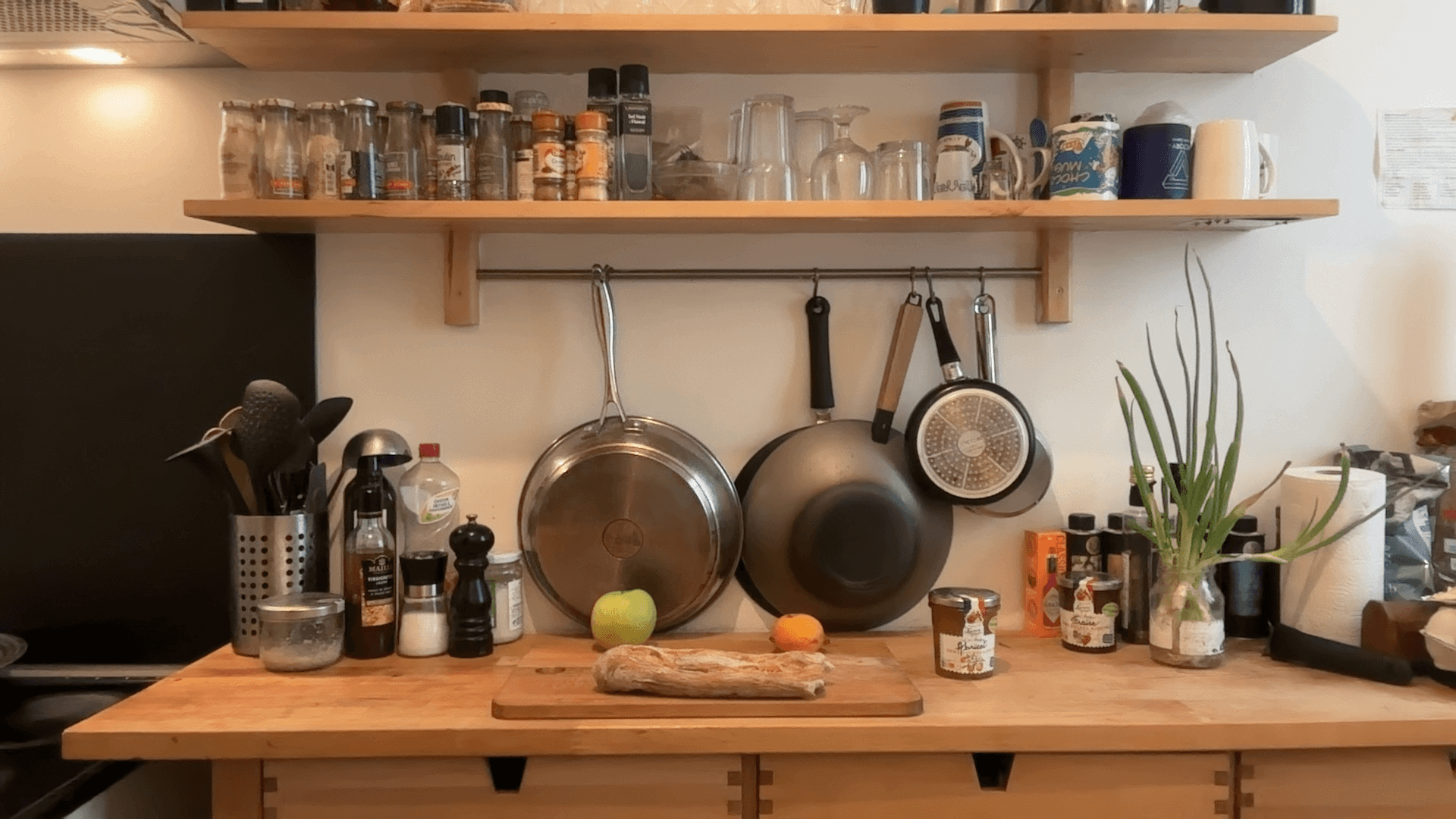
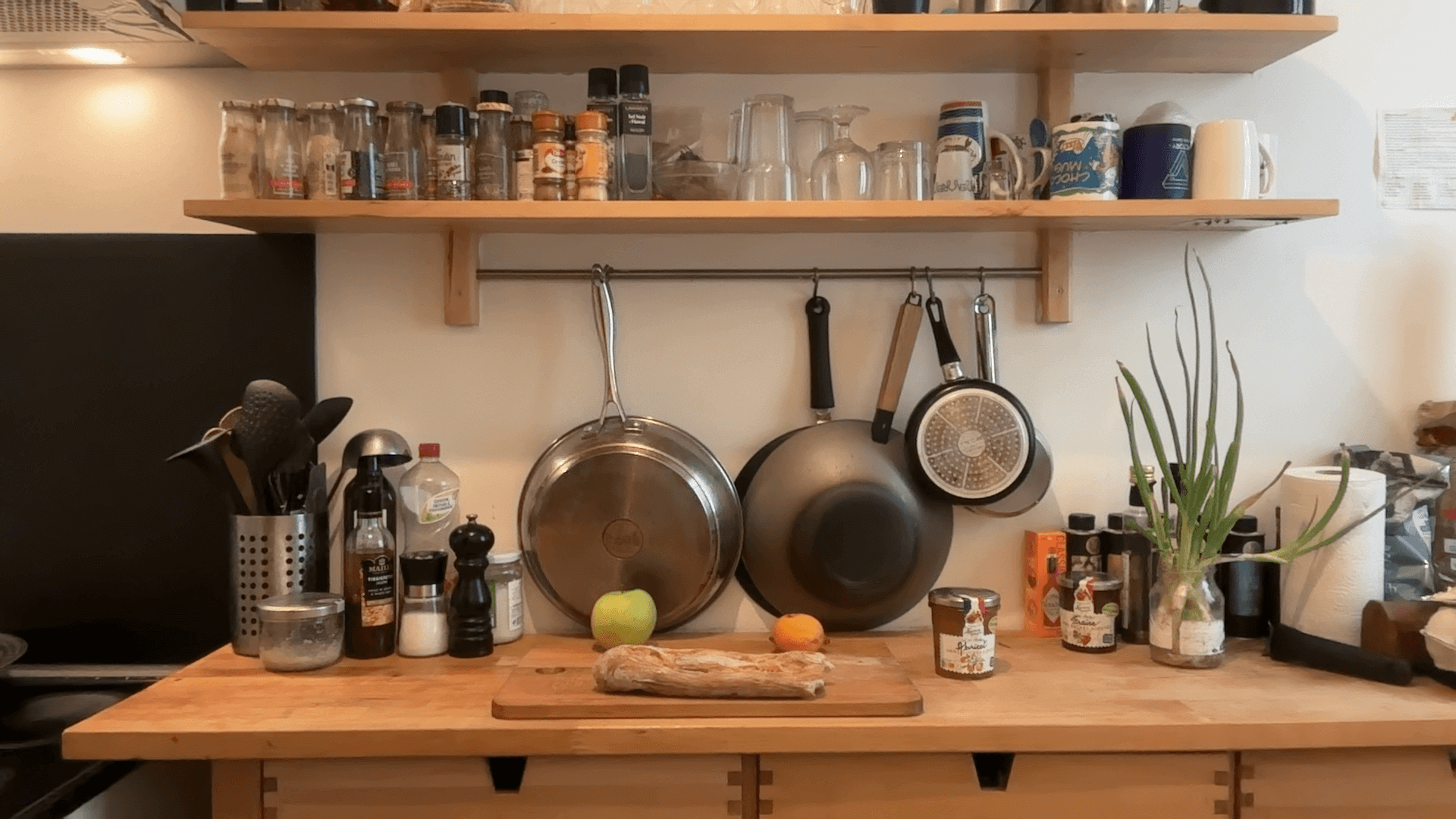
lerobot/pusht_image: (96 x 96 pixels) simulation with simple geometric shapes, fixed camera.aliberts/aloha_mobile_shrimp_image: (480 x 640 pixels) real-world indoor, moving camera.aliberts/paris_street: (720 x 1280 pixels) real-world outdoor, moving camera.aliberts/kitchen: (1080 x 1920 pixels) real-world indoor, fixed camera.
Encoding parameters
We used FFmpeg for encoding our videos. Here are the main parameters we played with:
Video Codec (vcodec)
The codec (coder-decoder) is the algorithmic engine that's driving the video encoding. The codec defines a format used for encoding and decoding. Note that for a given codec, several implementations may exist. For example for AV1: libaom (official implementation), libsvtav1 (faster, encoder only), libdav1d (decoder only).
Note that the rest of the encoding parameters are interpreted differently depending on the video codec used. In other words, the same crf value used with one codec doesn't necessarily translate into the same compression level with another codec. In fact, the default value (None) isn't the same amongst the different video codecs. Importantly, it is also the case for many other ffmpeg arguments like g which specifies the frequency of the key frames.
Pixel Format (pix_fmt)
Pixel format specifies both the color space (YUV, RGB, Grayscale) and, for YUV color space, the chroma subsampling which determines the way chrominance (color information) and luminance (brightness information) are actually stored in the resulting encoded bitstream. For instance, yuv420p indicates YUV color space with 4:2:0 chroma subsampling. This is the most common format for web video and standard playback. For RGB color space, this parameter specifies the number of bits per pixel (e.g. rbg24 means RGB color space with 24 bits per pixel).
Group of Pictures size (g)
GOP (Group of Pictures) size determines how frequently keyframes are placed throughout the encoded bitstream. The lower that value is, the more frequently keyframes are placed. One key thing to understand is that when requesting a frame at a given timestamp, unless that frame happens to be a keyframe itself, the decoder will look for the last previous keyframe before that timestamp and will need to decode each subsequent frame up to the requested timestamp. This means that increasing GOP size will increase the average decoding time of a frame as fewer keyframes are available to start from. For a typical online content such as a video on Youtube or a movie on Netflix, a keyframe placed every 2 to 4 seconds of the video — 2s corresponding to a GOP size of 48 for a 24 fps video — will generally translate to a smooth viewer experience as this makes loading time acceptable for that use case (depending on hardware). For training a policy however, we need access to any frame as fast as possible meaning that we'll probably need a much lower value of GOP.
Constant Rate Factor (crf)
The constant rate factor represent the amount of lossy compression applied. A value of 0 means that no information is lost while a high value (around 50-60 depending on the codec used) is very lossy. Using this parameter rather than specifying a target bitrate is preferable since it allows to aim for a constant visual quality level with a potentially variable bitrate rather than the opposite.
crf
libx264
libx265
libsvtav1
10
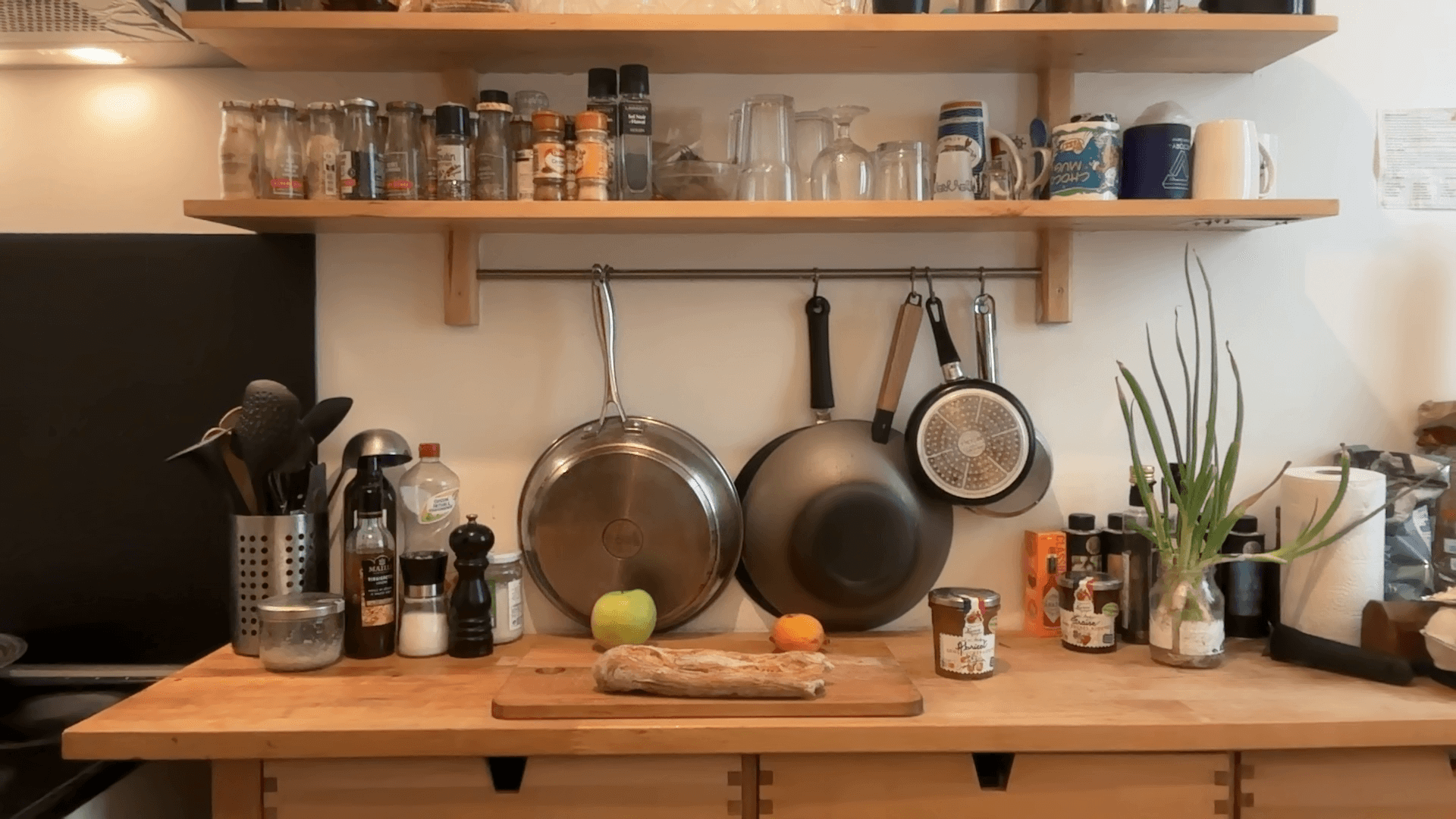
30
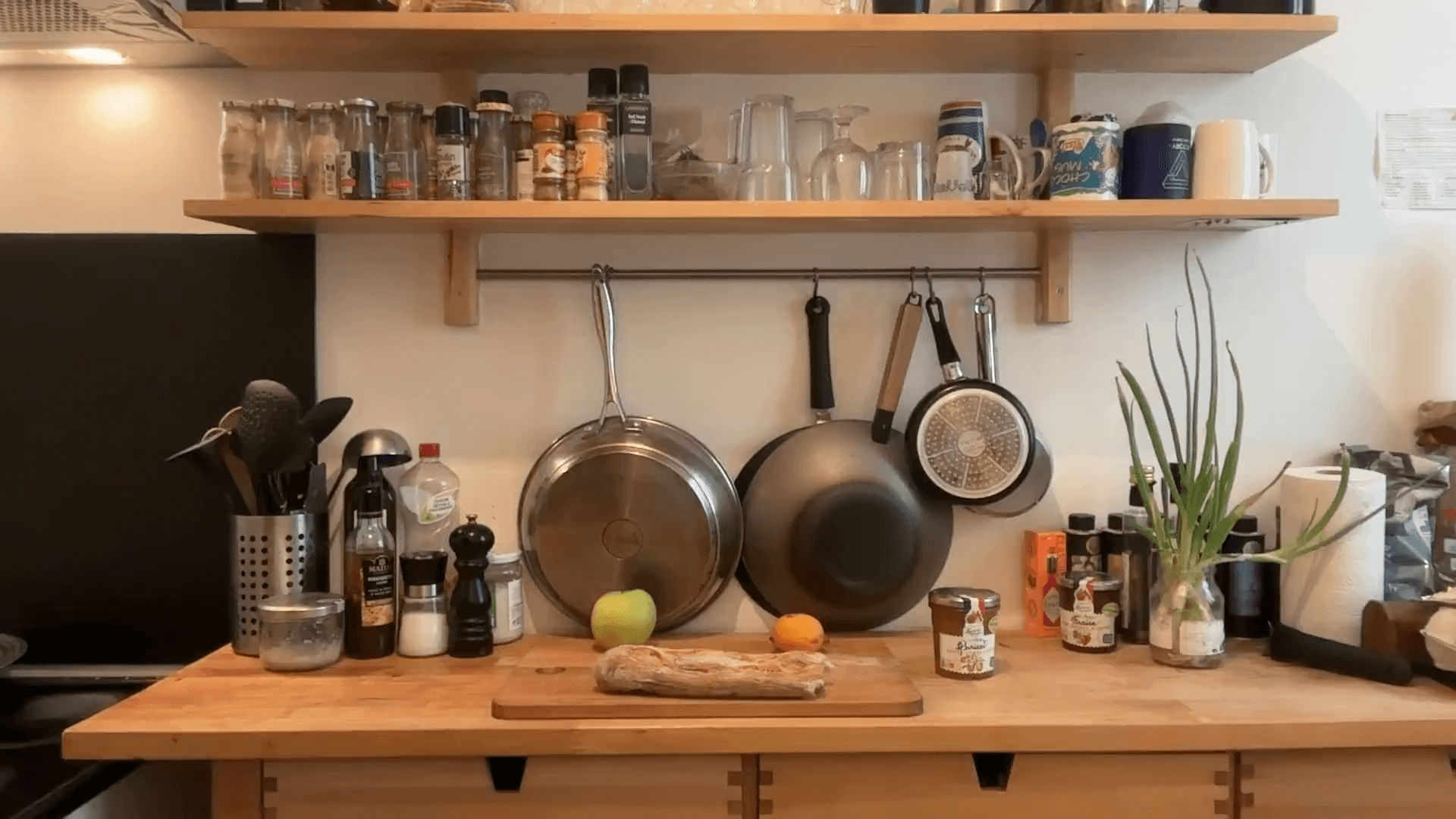
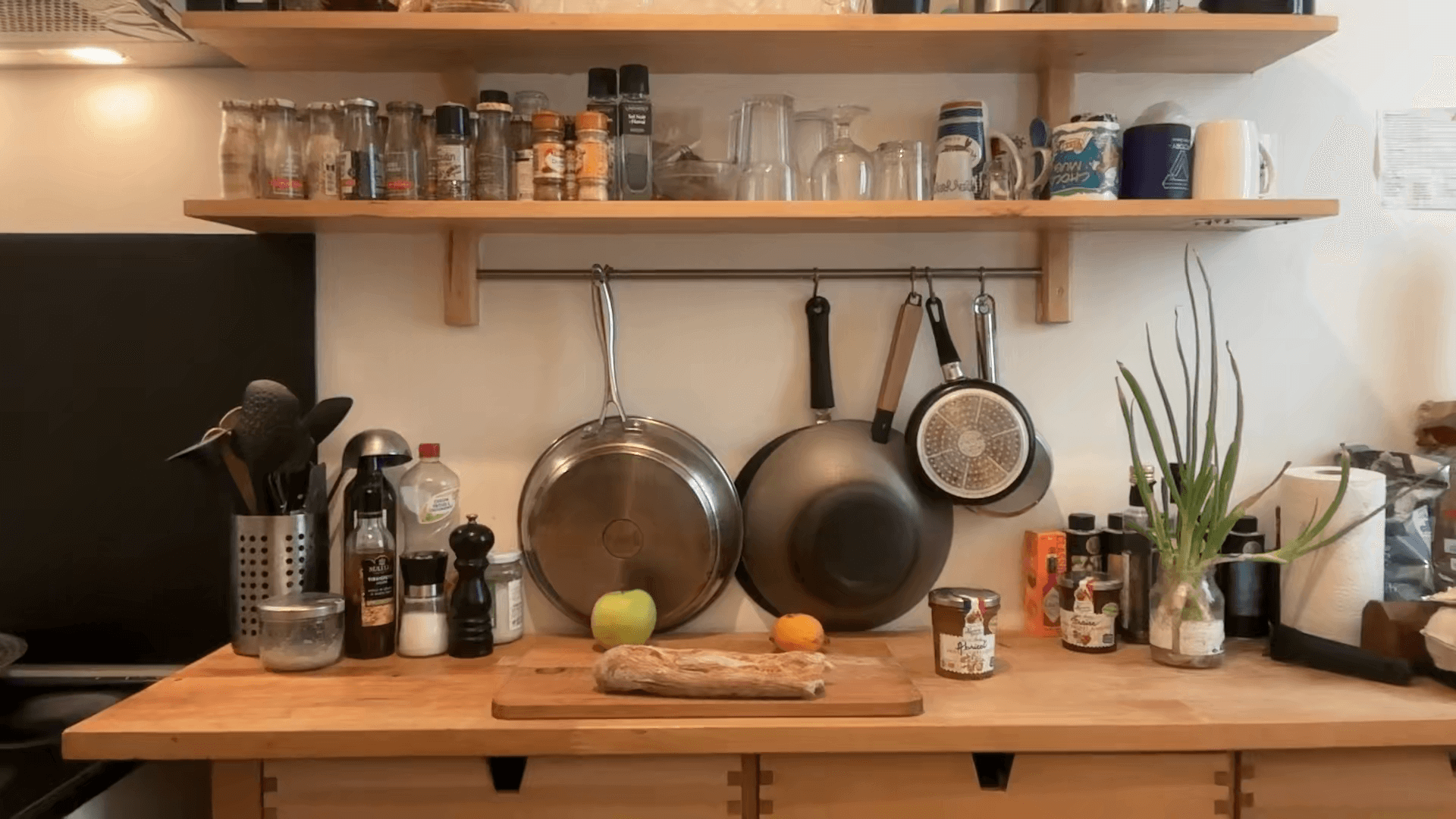
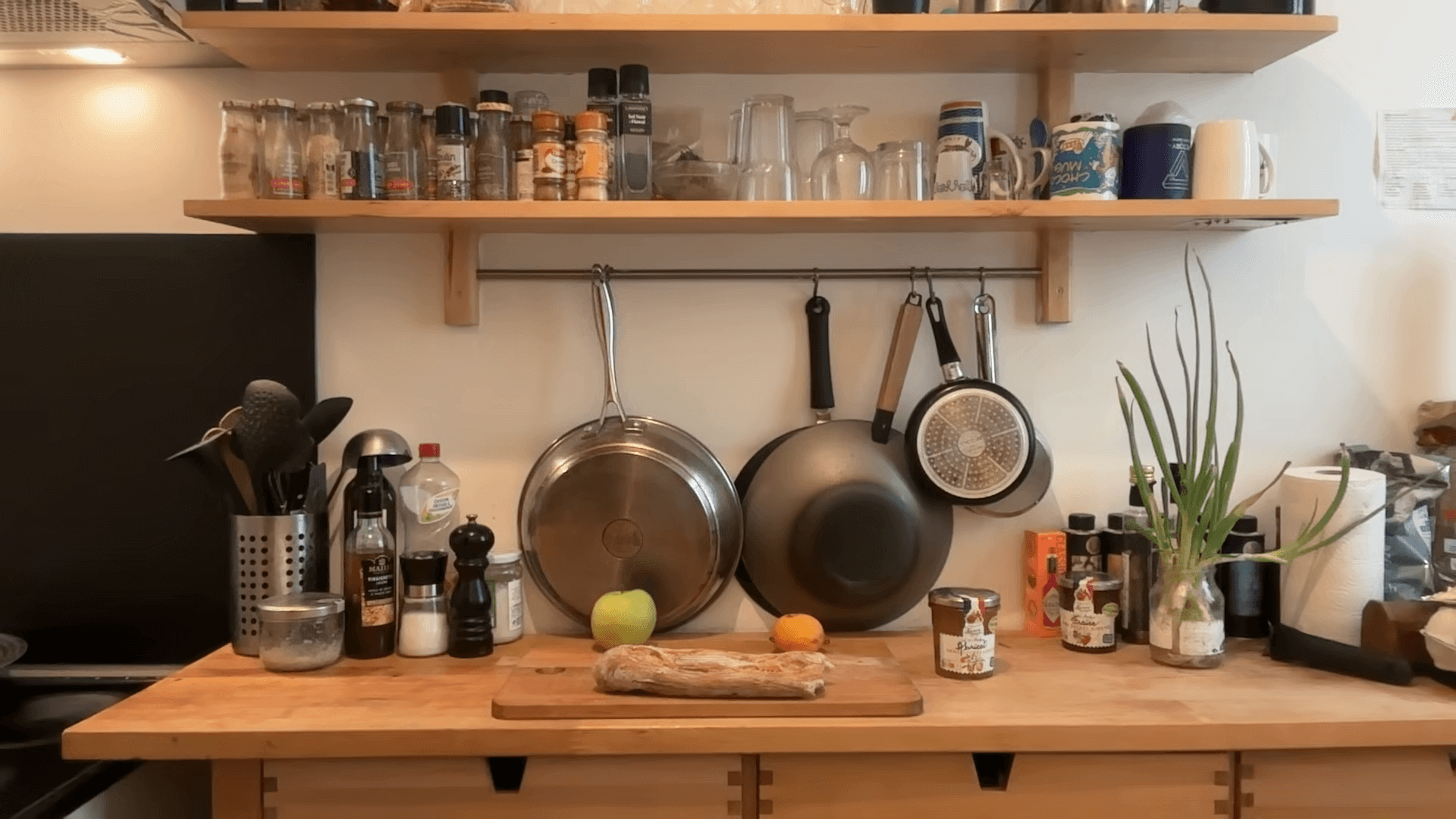
50
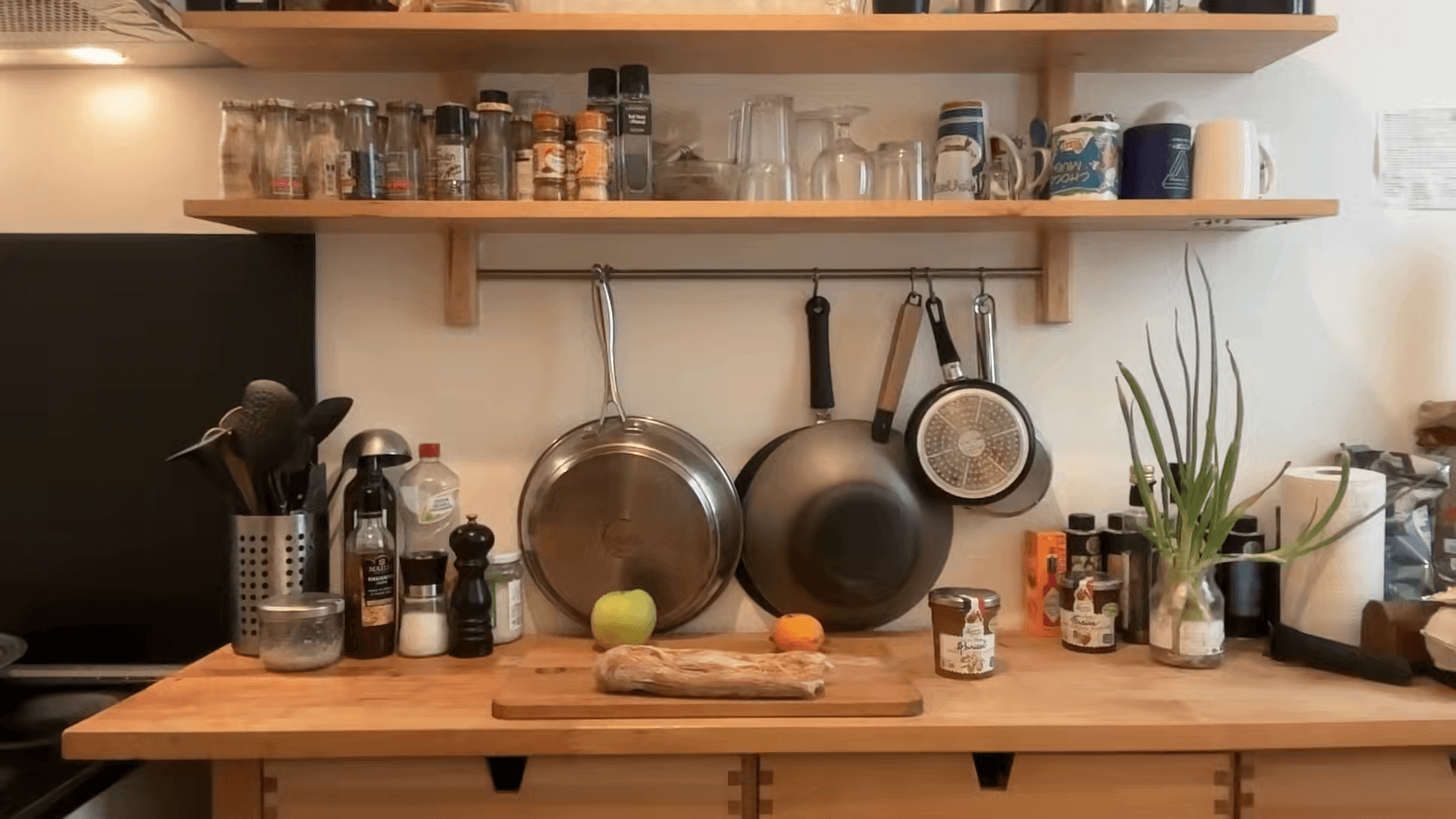
This table summarizes the different values we tried for our study:
parameter
values
vcodec
libx264, libx265, libsvtav1
pix_fmt
yuv444p, yuv420p
g
1, 2, 3, 4, 5, 6, 10, 15, 20, 40, None
crf
0, 5, 10, 15, 20, 25, 30, 40, 50, None
Decoding parameters
Decoder
We tested two video decoding backends from torchvision:
pyav(default)video_reader
Timestamps scenarios
Given the way video decoding works, once a keyframe has been loaded, the decoding of subsequent frames is fast. This of course is affected by the -g parameter during encoding, which specifies the frequency of the keyframes. Given our typical use cases in robotics policies which might request a few timestamps in different random places, we want to replicate these use cases with the following scenarios:
1_frame: 1 frame,2_frames: 2 consecutive frames (e.g.[t, t + 1 / fps]),6_frames: 6 consecutive frames (e.g.[t + i / fps for i in range(6)])
Note that this differs significantly from a typical use case like watching a movie, in which every frame is loaded sequentially from the beginning to the end and it's acceptable to have big values for -g.
Additionally, because some policies might request single timestamps that are a few frames apart, we also have the following scenario:
2_frames_4_space: 2 frames with 4 consecutive frames of spacing in between (e.g[t, t + 5 / fps]),
However, due to how video decoding is implemented with pyav, we don't have access to an accurate seek so in practice this scenario is essentially the same as 6_frames since all 6 frames between t and t + 5 / fps will be decoded.
Results
After running this study, we switched to a different encoding from v1.6 on.
codebase version
v1.5
v1.6
vcodec
libx264
libsvtav1
pix-fmt
yuv444p
yuv420p
g
2
2
crf
None (=23)
30
We managed to gain more quality thanks to AV1 encoding while using the more compatible yuv420p pixel format.
Sizes
We achieved an average compression ratio of about 14% across the total dataset sizes. Most of our datasets are reduced to under 40% of their original size, with some being less than 1%. These variations can be attributed to the diverse formats from which these datasets originate. Datasets with the highest size reductions often contain uncompressed images, allowing the encoder’s temporal and spatial compression to drastically reduce their sizes. On the other hand, datasets where images were already stored using a form of spatial compression (such as JPEG or PNG) have experienced less reduction in size. Other factors, such as image resolution, also affect the effectiveness of video compression.
Table 1: Dataset sizes comparison
repo_id
raw
ours (v1.6)
ratio (ours/raw)
lerobot/nyu_rot_dataset
5.3MB
318.2KB
5.8%
lerobot/pusht
29.6MB
7.5MB
25.3%
lerobot/utokyo_saytap
55.4MB
6.5MB
11.8%
lerobot/imperialcollege_sawyer_wrist_cam
81.9MB
3.8MB
4.6%
lerobot/utokyo_xarm_bimanual
138.5MB
8.1MB
5.9%
lerobot/unitreeh1_two_robot_greeting
181.2MB
79.0MB
43.6%
lerobot/usc_cloth_sim
254.5MB
23.7MB
9.3%
lerobot/unitreeh1_rearrange_objects
283.3MB
138.4MB
48.8%
lerobot/tokyo_u_lsmo
335.7MB
22.8MB
6.8%
lerobot/utokyo_pr2_opening_fridge
360.6MB
29.2MB
8.1%
lerobot/aloha_static_pingpong_test
480.9MB
168.5MB
35.0%
lerobot/cmu_franka_exploration_dataset
602.3MB
18.2MB
3.0%
lerobot/unitreeh1_warehouse
666.7MB
236.9MB
35.5%
lerobot/cmu_stretch
728.1MB
38.7MB
5.3%
lerobot/asu_table_top
737.6MB
39.1MB
5.3%
lerobot/xarm_push_medium
808.5MB
15.9MB
2.0%
lerobot/xarm_push_medium_replay
808.5MB
17.8MB
2.2%
lerobot/xarm_lift_medium_replay
808.6MB
18.4MB
2.3%
lerobot/xarm_lift_medium
808.6MB
17.3MB
2.1%
lerobot/utokyo_pr2_tabletop_manipulation
829.4MB
40.6MB
4.9%
lerobot/utokyo_xarm_pick_and_place
1.3GB
54.6MB
4.1%
lerobot/aloha_static_ziploc_slide
1.3GB
498.4MB
37.2%
lerobot/ucsd_kitchen_dataset
1.3GB
46.5MB
3.4%
lerobot/berkeley_gnm_cory_hall
1.4GB
85.6MB
6.0%
lerobot/aloha_static_thread_velcro
1.5GB
1.1GB
73.2%
lerobot/austin_buds_dataset
1.5GB
87.8MB
5.7%
lerobot/aloha_static_screw_driver
1.5GB
507.8MB
33.1%
lerobot/aloha_static_cups_open
1.6GB
486.3MB
30.4%
lerobot/aloha_static_towel
1.6GB
565.3MB
34.0%
lerobot/dlr_sara_grid_clamp
1.7GB
93.6MB
5.5%
lerobot/unitreeh1_fold_clothes
2.0GB
922.0MB
44.5%
lerobot/droid_100*
2.0GB
443.0MB
21.2%
lerobot/aloha_static_battery
2.3GB
770.5MB
33.0%
lerobot/aloha_static_tape
2.5GB
829.6MB
32.5%
lerobot/aloha_static_candy
2.6GB
833.4MB
31.5%
lerobot/conq_hose_manipulation
2.7GB
634.9MB
23.4%
lerobot/columbia_cairlab_pusht_real
2.8GB
84.8MB
3.0%
lerobot/dlr_sara_pour
2.9GB
153.1MB
5.1%
lerobot/dlr_edan_shared_control
3.1GB
138.4MB
4.4%
lerobot/aloha_static_vinh_cup
3.1GB
1.0GB
32.3%
lerobot/aloha_static_vinh_cup_left
3.5GB
1.1GB
32.1%
lerobot/ucsd_pick_and_place_dataset
3.5GB
125.8MB
3.5%
lerobot/aloha_mobile_elevator
3.7GB
558.5MB
14.8%
lerobot/aloha_mobile_shrimp
3.9GB
1.3GB
34.6%
lerobot/aloha_mobile_wash_pan
4.0GB
1.1GB
26.5%
lerobot/aloha_mobile_wipe_wine
4.3GB
1.2GB
28.0%
lerobot/aloha_static_fork_pick_up
4.6GB
1.4GB
31.6%
lerobot/berkeley_cable_routing
4.7GB
309.3MB
6.5%
lerobot/aloha_static_coffee
4.7GB
1.5GB
31.3%
lerobot/nyu_franka_play_dataset*
5.2GB
192.1MB
3.6%
lerobot/aloha_static_coffee_new
6.1GB
1.9GB
31.5%
lerobot/austin_sirius_dataset
6.5GB
428.7MB
6.4%
lerobot/cmu_play_fusion
6.7GB
470.2MB
6.9%
lerobot/berkeley_gnm_sac_son*
7.0GB
501.4MB
7.0%
lerobot/aloha_mobile_cabinet
7.0GB
1.6GB
23.2%
lerobot/nyu_door_opening_surprising_effectiveness
7.1GB
378.4MB
5.2%
lerobot/aloha_mobile_chair
7.4GB
2.0GB
27.2%
lerobot/berkeley_fanuc_manipulation
8.9GB
312.8MB
3.5%
lerobot/jaco_play
9.2GB
411.1MB
4.3%
lerobot/viola
10.4GB
873.6MB
8.2%
lerobot/kaist_nonprehensile
11.7GB
203.1MB
1.7%
lerobot/berkeley_mvp
12.3GB
127.0MB
1.0%
lerobot/uiuc_d3field*
15.8GB
1.4GB
9.1%
lerobot/umi_cup_in_the_wild
16.8GB
2.9GB
17.6%
lerobot/aloha_sim_transfer_cube_human
17.9GB
66.7MB
0.4%
lerobot/aloha_sim_insertion_scripted
17.9GB
67.6MB
0.4%
lerobot/aloha_sim_transfer_cube_scripted
17.9GB
68.5MB
0.4%
lerobot/berkeley_gnm_recon*
18.7GB
29.3MB
0.2%
lerobot/austin_sailor_dataset
18.8GB
1.1GB
6.0%
lerobot/utaustin_mutex
20.8GB
1.4GB
6.6%
lerobot/aloha_static_pro_pencil
21.1GB
504.0MB
2.3%
lerobot/aloha_sim_insertion_human
21.5GB
87.3MB
0.4%
lerobot/stanford_kuka_multimodal_dataset
32.0GB
269.9MB
0.8%
lerobot/berkeley_rpt
40.6GB
1.1GB
2.7%
lerobot/roboturk*
45.4GB
1.9GB
4.1%
lerobot/iamlab_cmu_pickup_insert
50.3GB
1.8GB
3.6%
lerobot/stanford_hydra_dataset
72.5GB
2.9GB
4.0%
lerobot/berkeley_autolab_ur5*
76.4GB
14.4GB
18.9%
lerobot/stanford_robocook*
124.6GB
3.8GB
3.1%
lerobot/toto
127.7GB
5.3GB
4.1%
lerobot/fmb*
356.5GB
4.2GB
1.2%
*These datasets contain depth maps which were not included in our format.
Loading times
Thanks to video encoding, our loading times scale much better with the resolution. This is especially true in advantageous scenarios where we decode multiple successive frames.
1 frame
2 frames
6 frames
Summary
The full results of our study are available in this spreadsheet. The tables below show the averaged results for g=2 and crf=30, using backend=pyav and in all timestamps-modes (1_frame, 2_frames, 6_frames).
Table 2: Ratio of video size and images size (lower is better)
repo_id
Mega Pixels
libx264
libx265
libsvtav1
yuv420p
yuv444p
yuv420p
yuv444p
yuv420p
lerobot/pusht_image
0.01
16.97%
17.58%
18.57%
18.86%
22.06%
aliberts/aloha_mobile_shrimp_image
0.31
2.14%
2.11%
1.38%
1.37%
5.59%
aliberts/paris_street
0.92
2.12%
2.13%
1.54%
1.54%
4.43%
aliberts/kitchen
2.07
1.40%
1.39%
1.00%
1.00%
2.52%
Table 3: Ratio of video and images loading times (lower is better)
repo_id
Mega Pixels
libx264
libx265
libsvtav1
yuv420p
yuv444p
yuv420p
yuv444p
yuv420p
lerobot/pusht_image
0.01
25.04
29.14
4.16
4.66
4.52
aliberts/aloha_mobile_shrimp_image
0.31
63.56
58.18
1.60
2.04
1.00
aliberts/paris_street
0.92
3.89
3.76
0.51
0.71
0.48
aliberts/kitchen
2.07
2.68
1.94
0.36
0.58
0.38
Table 4: Quality (mse: lower is better, psnr & ssim: higher is better)
repo_id
Mega Pixels
Values
libx264
libx265
libsvtav1
yuv420p
yuv444p
yuv420p
yuv444p
yuv420p
lerobot/pusht_image
0.01
mse
2.93E-04
2.09E-04
3.84E-04
3.02E-04
2.23E-04
psnr
35.42
36.97
35.06
36.69
37.12
ssim
98.29%
98.83%
98.17%
98.69%
98.70%
aliberts/aloha_mobile_shrimp_image
0.31
mse
3.19E-04
3.02E-04
5.30E-04
5.17E-04
2.18E-04
psnr
35.80
36.10
35.01
35.23
39.83
ssim
95.20%
95.20%
94.51%
94.56%
97.52%
aliberts/paris_street
0.92
mse
5.34E-04
5.16E-04
9.18E-03
9.17E-03
3.09E-04
psnr
33.55
33.75
29.96
30.06
35.41
ssim
93.94%
93.93%
83.11%
83.11%
95.50%
aliberts/kitchen
2.07
mse
2.32E-04
2.06E-04
6.87E-04
6.75E-04
1.32E-04
psnr
36.77
37.38
35.27
35.50
39.20
ssim
95.47%
95.58%
95.11%
95.13%
96.84%
Policies
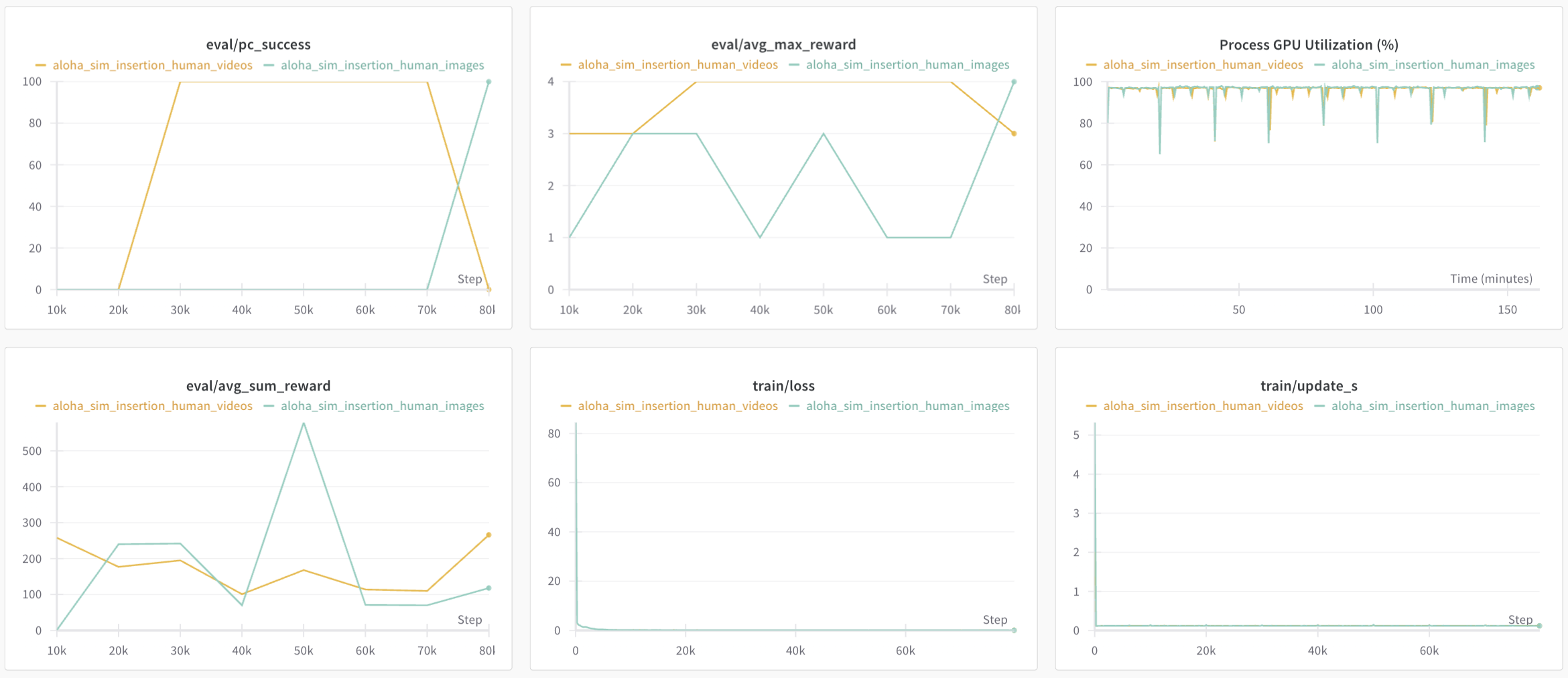
We validated that this new format did not impact performance on trained policies by training some of them on our format. The performances of those policies were on par with those trained on the image versions.
Figure 1: Training curves for Diffusion policy on pusht dataset
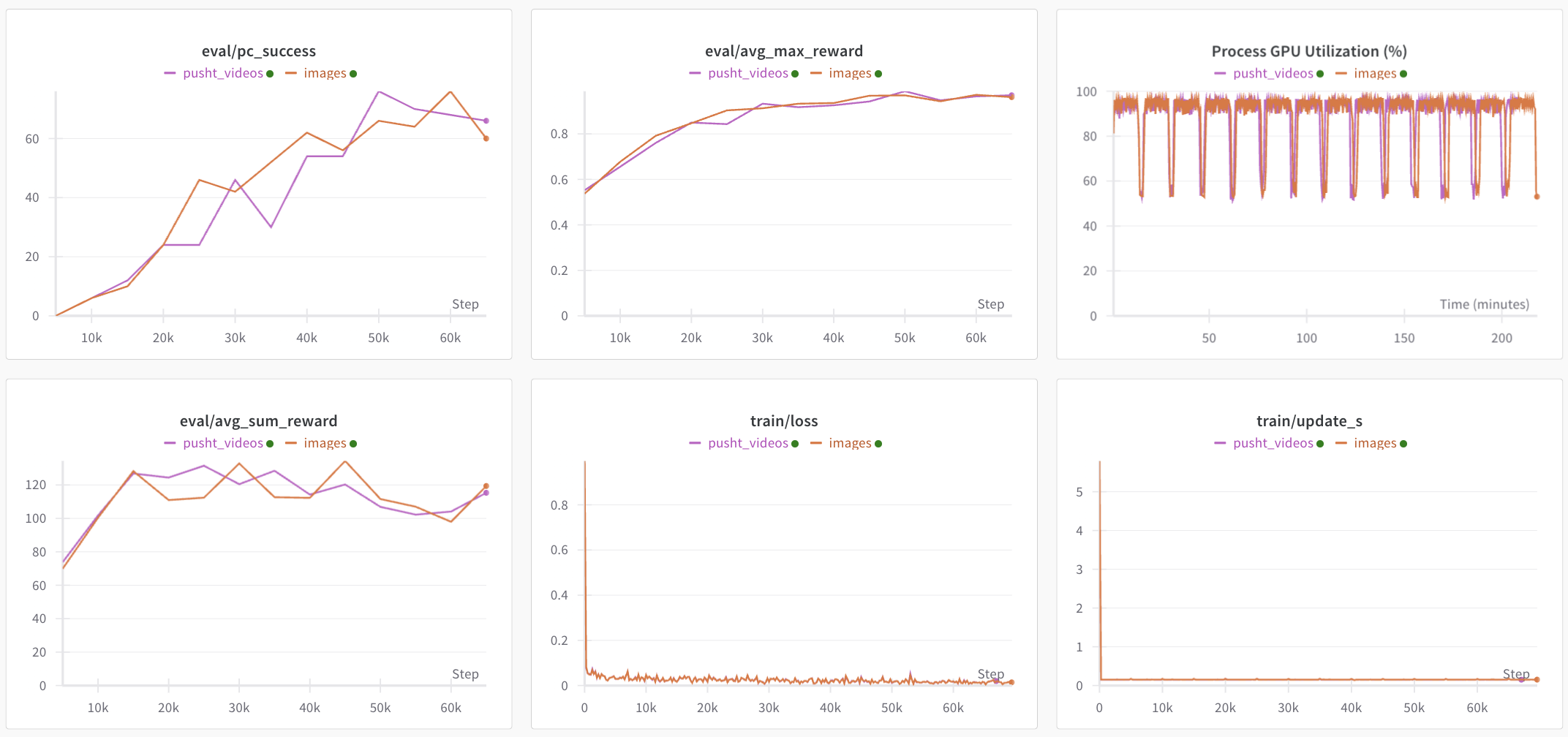
Figure 2: Training curves for ACT policy on an aloha dataset
Policies have also been trained and evaluated on AV1-encoded datasets and compared against our previous reference (h264):
Diffusion on pusht:
ACT on aloha_sim_transfer_cube_human:
ACT on aloha_sim_insertion_scripted:
Future work
Video encoding/decoding is a vast and complex subject, and we're only scratching the surface here. Here are some of the things we left over in this experiment:
For the encoding, additional encoding parameters exist that are not included in this benchmark. In particular:
-presetwhich allows for selecting encoding presets. This represents a collection of options that will provide a certain encoding speed to compression ratio. By leaving this parameter unspecified, it is considered to bemediumfor libx264 and libx265 and8for libsvtav1.-tunewhich allows to optimize the encoding for certain aspects (e.g. film quality, live, etc.). In particular, afast decodeoption is available to optimise the encoded bit stream for faster decoding.two-pass encoding would also be interesting to look at as it increases quality, although it is likely to increase encoding time significantly. Note that since we are primarily interested in decoding performance (as encoding is only done once before uploading a dataset), we did not measure encoding times nor have any metrics regarding encoding. Using a 1-pass encoding did not pose any issue and it didn't take a significant amount of time during this benchmark (with the condition of using
libsvtav1instead oflibaomfor AV1 encoding).
The more detailed and comprehensive list of these parameters and others is available on the codecs documentations:
Similarly on the decoding side, other decoders exist but are not implemented in our current benchmark. To name a few:
torchcodectorchaudioffmpegiodecordnvc
Finally, we did not look into video encoding with depth maps. Although we did port datasets that include depth maps images, we are not using that modality for now.